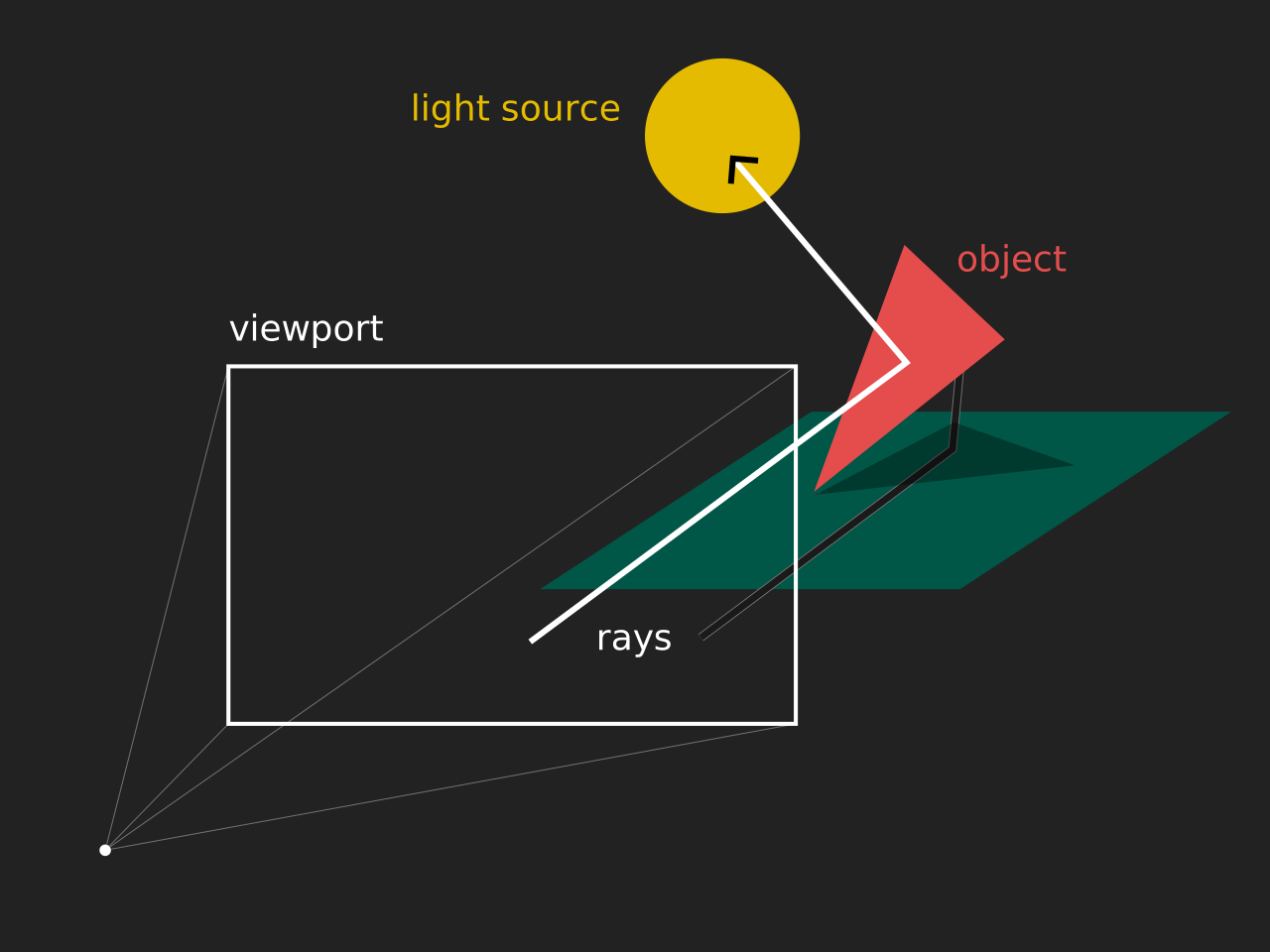
have you ever thought about how computers render 3d objects? me too! x3 basically, it boils down to 2 common approaches
raytracing is the more intuitive approach to understand from the two. it works on the principle of your eye - a bunch of photons (particles of light) get sent out from various light sources and bounce around until some of them reach your eye. computers take a tad more efficient approach to this by checking only the rays of light that will reach the eye (camera), by just projecting them from the eye itself (which is equivalent)
as you can see, raytracing allows for complicated optical effects (most notably shadows and reflections), but as you probably know, it's very slow and resource intensive. the problem with simulating light is that each eye of yours receives approximately photons per second, which is simply unreasonable to simulate. not simulating enough though results in noise
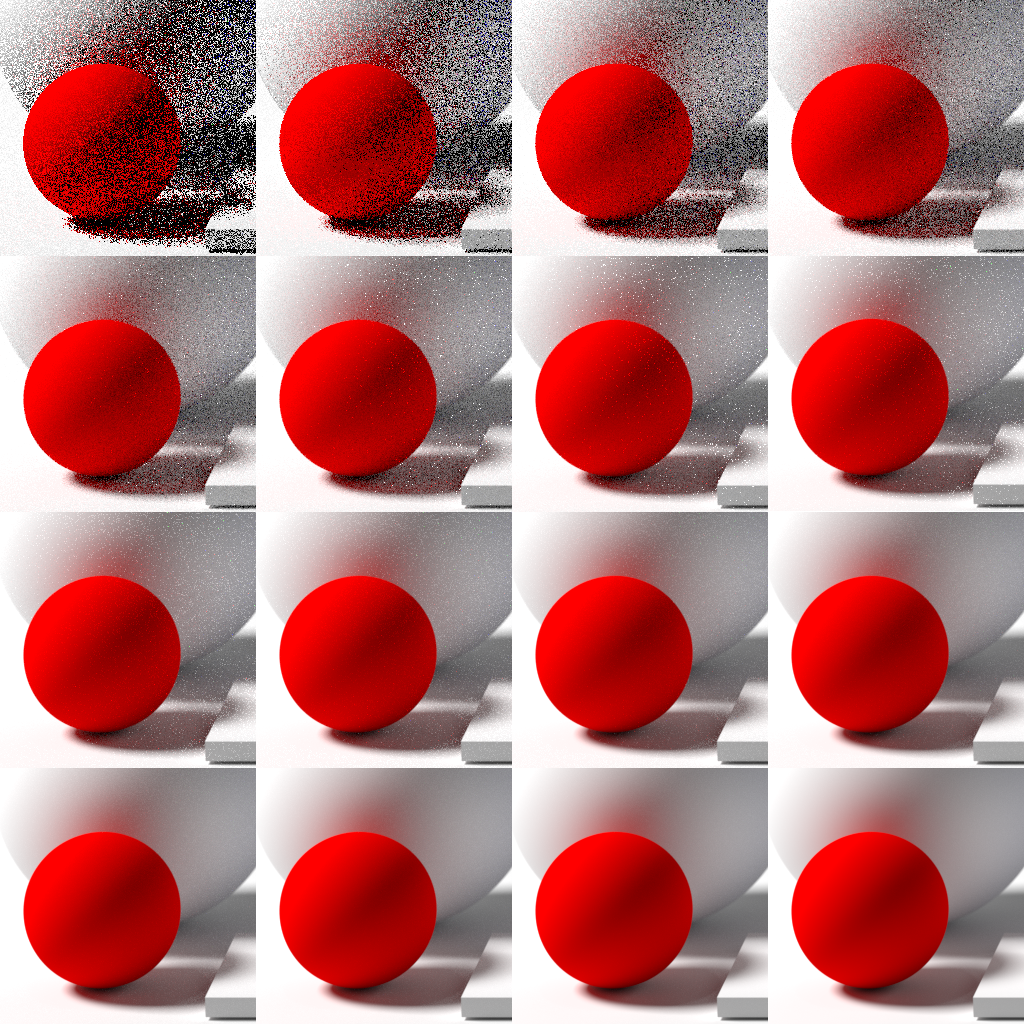
raytracing techniques are mainly used in animated movies and cg visuals where waiting to generate frames isn't that much of a problem
rasterization tries to be smart about the problem at hand and instead of randomly simulating millions upon billions of rays, it finds out where the objects are in the scene will be on the screen and draws them! this method is faster but doesn't directly allow for all the complicated light simulation
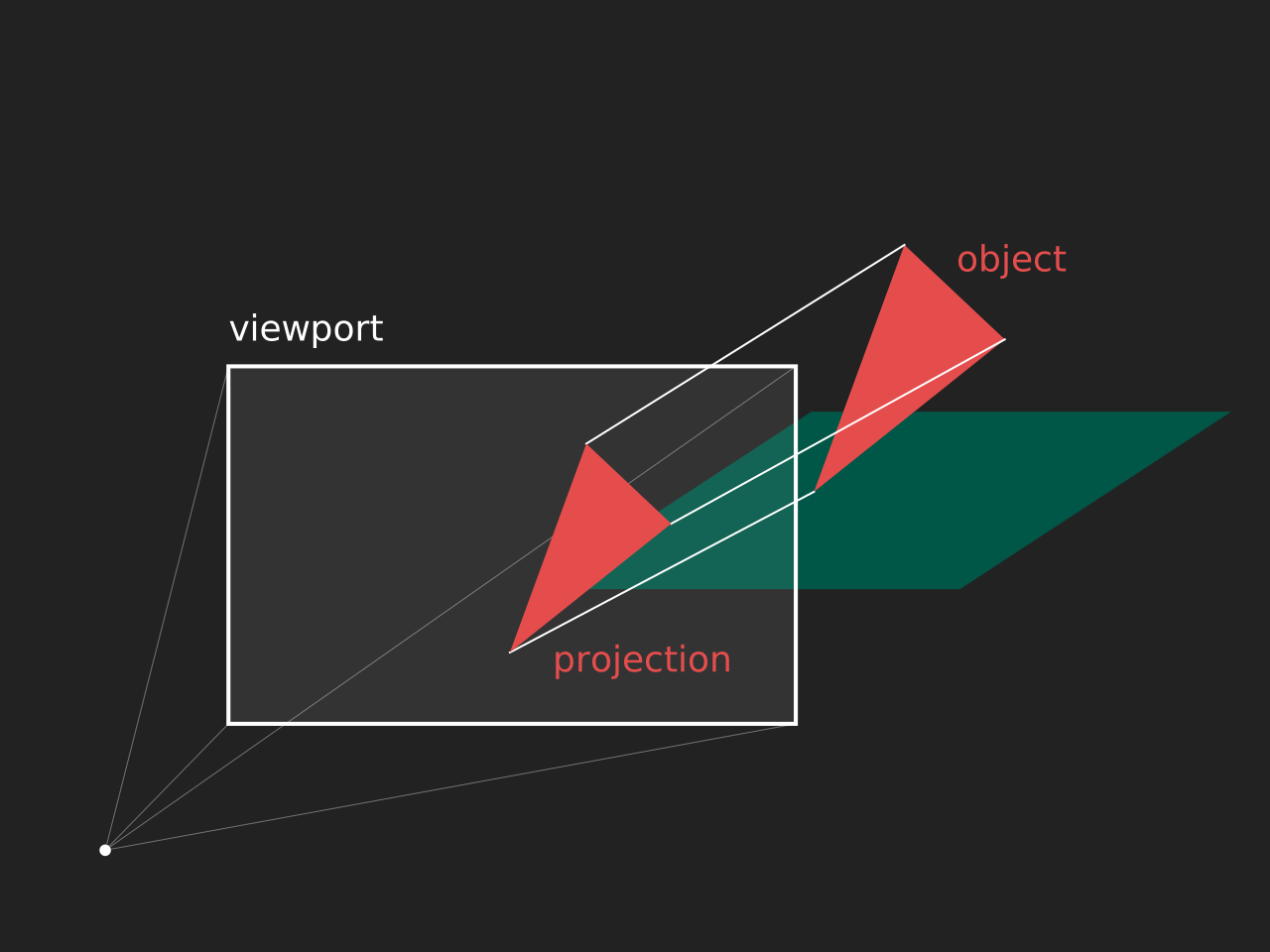
the act of rasterization is actually taking any sort of non-bitmap (composed of pixels) graphic and converting it to a bitmap one. the word comes from german raster (screen, grid), which comes from latin rāster (rake), from latin rādō (to scrape), making rodent a related word
okay!! before we start writing anything, let's actually describe our program. even though the majority of rasterizers are realtime, i'm not that ambitious x3 also i'll be writing this in c++ because i'm trying to learn it and it's also quite fast.
the first step to writing a program that outputs graphics is defining your graphics pipeline. you can imagine it as a production line where the scene is gradually refined and rendered into an image. here's what we'll be discussing
that's about it! most 3d video games you ever have played adhere to this exact pipeline. now of course it's a bit more complicated and of course i'll also be simplifying but i still think that this is very interesting!
let's have our desert last because i have to rant a bit about human readable file formats.
computers store data in various files in whole sorts of different ways. sometimes, it's just plain text. and lets say you're not in the mood to implement the 100 or so pages of the PNG spec. implemented in only a few lines of code, i'd say that the ppm file format is quite satisfactory! a ppm image looks something like this
P3
3 2
255   0   0
  0 255   0
  0   0 255
255 255   0
255 255 255
  0   0   0
it starts out with the magic number
P3, then defines the width (3) and height (2), then each consecutive row is
an rgb color. it's quite inefficient, but it does the job more than well enough.
also, any time i mention a buffer (ie image buffer), it means the space in memory we've allocated for the pixels of the image, for example.
3d models consist of points (vertices), lines that connect them (edges), and well, faces, which are actually all triangles. it might be a bit unintuitive, but really any 3d solid can be perfectly replicated with enough triangles
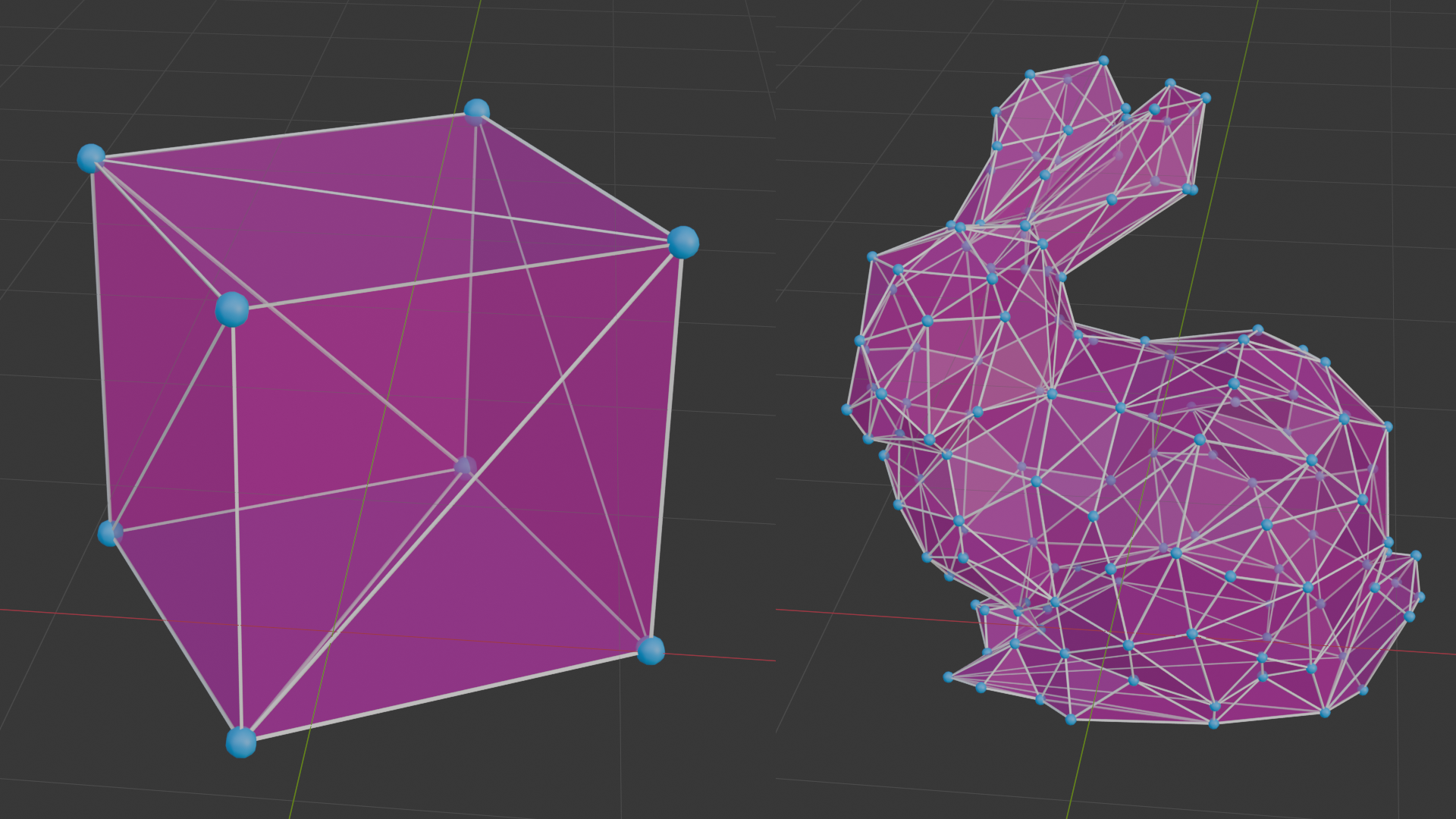
we will be parsing the obj file format, which is another neat human readable 3d format. the idea is also quite simple
v 1 2.3 4
...

vt 0.5 1
...

vn 0.707 0 0.707
...

f 1 2 3
f 3/4/6 8/5/9 6/3/2
...
each line defines each one of a vertex (line starts with v), vertex texture (vt), vertex
normal (vn), or face (f). the way faces are made is that they have the 3 indices (starting at 1
for some reason), so f 1 2 3 would mean a face from the vertices 1, 2, and 3 in the order that they
were defined, the next line though defines each point of a face as a triple of v/vt/vn, so 3/4/6 means
the 3rd vertex, with the 4th texture coordinate, with the 6th vertex normal. for now, we'll only be using
the vertices
finally! the actual rasterization happens here. as we outlined before, this generally happens in two steps
let's imagine we're projecting the point to the viewport as
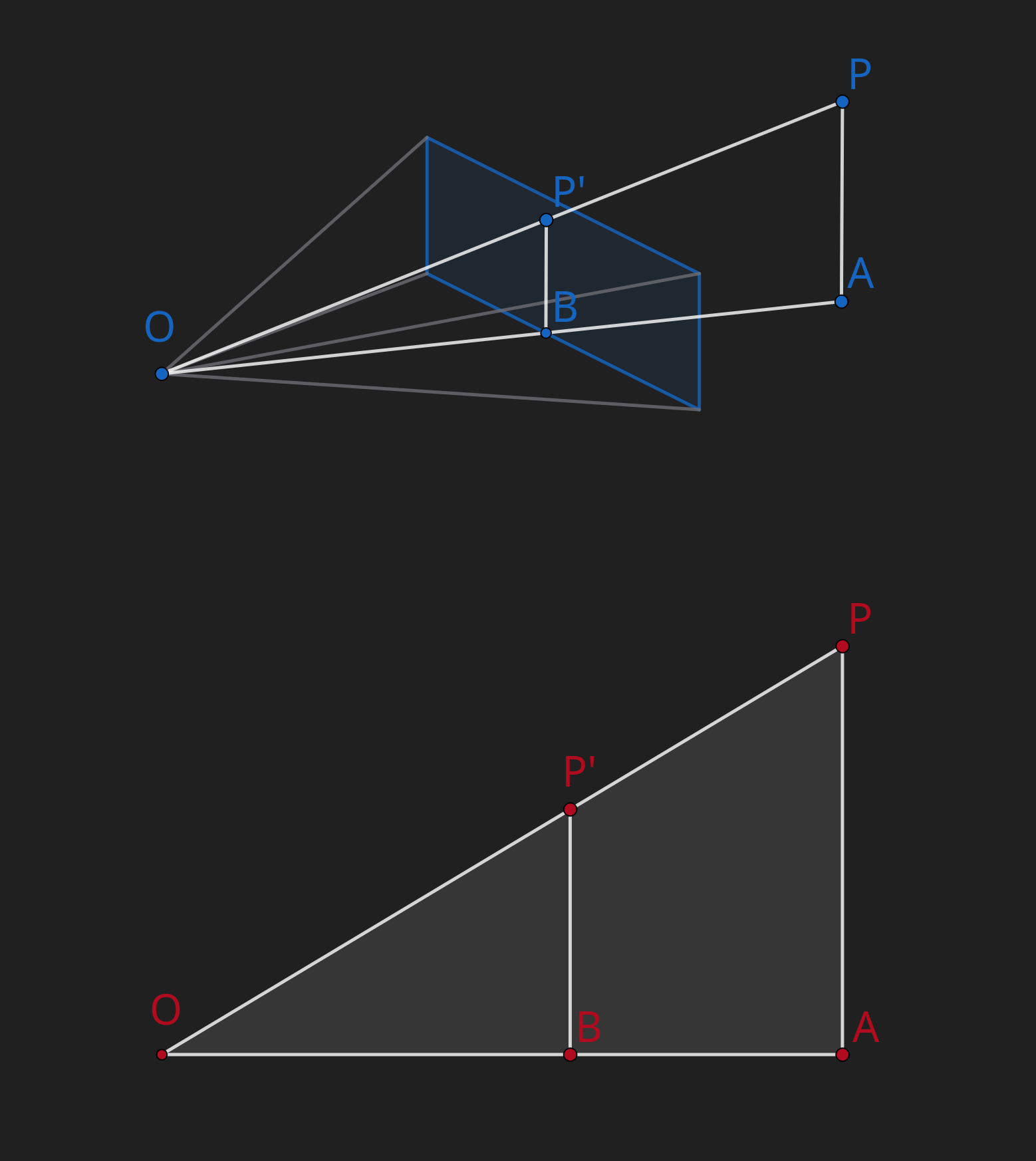
as you can see is similar to , from that we can deduce
being the projected dimension, the actual dimension, the focal length , and the z of the point, we get the following two equations
great! now we can project most points to the viewport!
now we have to figure out how to draw a triangle on a grid of pixels. we'll use a somewhat intuitive approach, where we just draw between two "arms" of the triangle
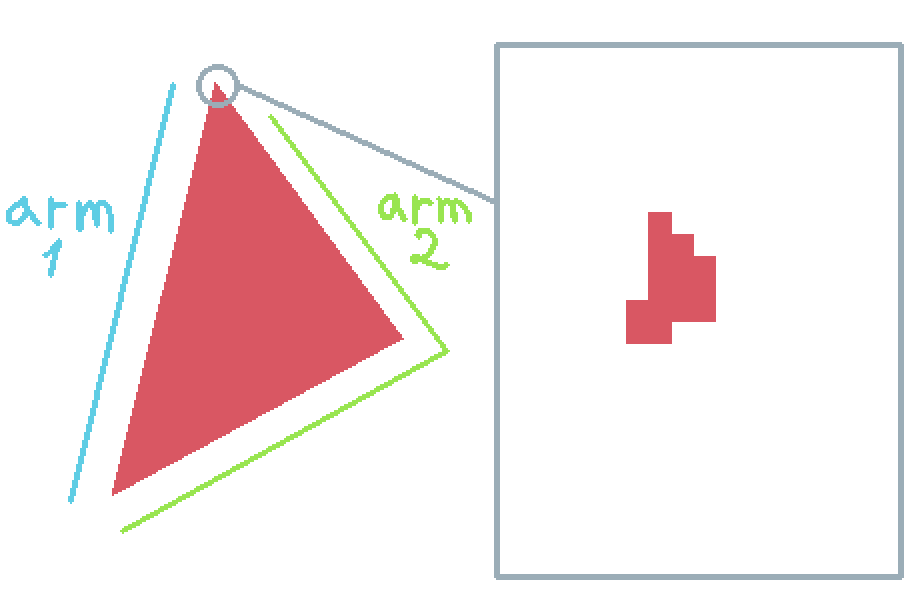
so, we write everything as previously mentioned, load a cube, project its vertices, draw the triangles anddd
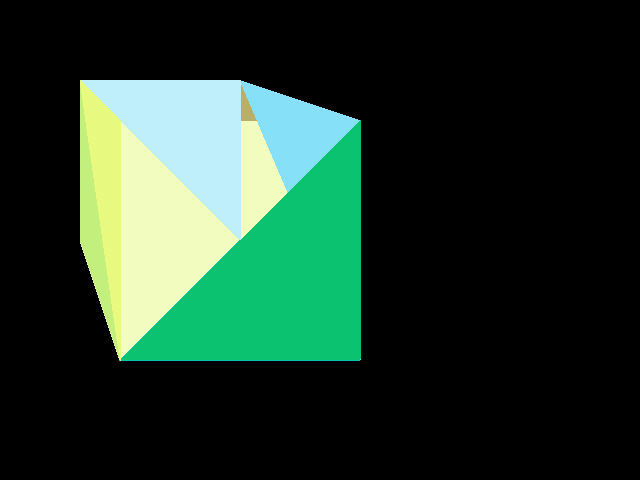
whoops. what's happening here is that some triangles are drawn in front of others incorrectly. a naïve approach would just draw the triangles in order of depth (aka painter's algorithm), which doesn't allow for certain arrangements of triangles, plus can be actually tricky to implement. instead, we make a depth buffer where we store the closest pixel to the camera, and before we draw a pixel anywhere, we check if there's already something closer written to the depth buffer. doing that we get
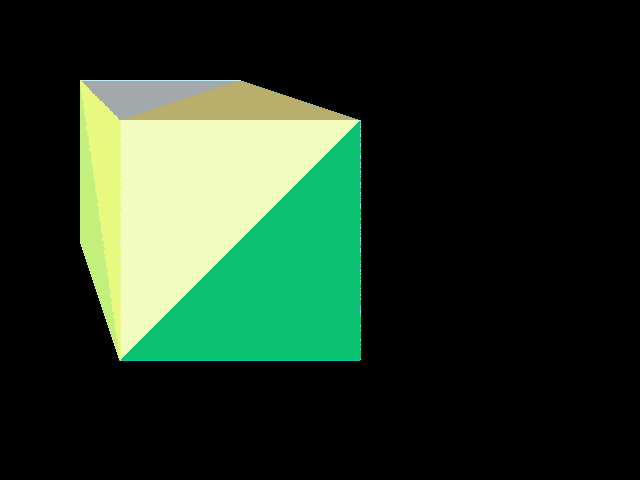
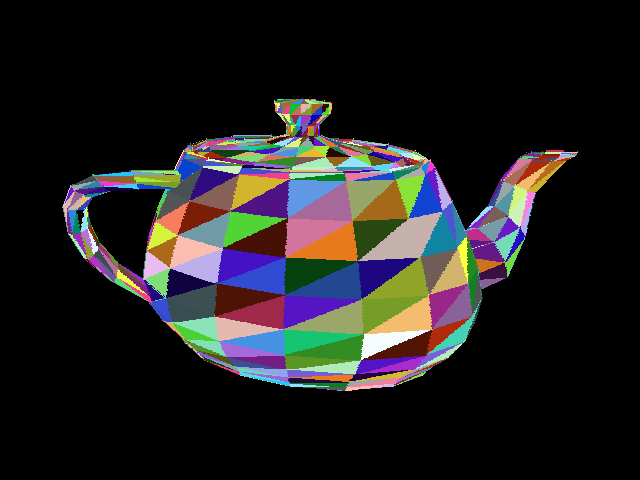
a cube! nice! as a treat here's a more complicated model (the utah teapot)
some bonus math - let's say we want to position our object in space somehow. how do we do that? well, we'd have to move around each vertex, or transform it. moving the object 20 units in the x direction requires you to move each vertex that amount. what about rotation? well. uh
implementing this took a bit x3 but now i have! and the teapot can spin

a few cool things to note are that the order in which you apply these transformations actually matter (imagine rotation + translation vs translation + rotation) and we'll never have to transform the camera itself as long as we can transform the whole world. if you can imagine moving the camera 20 units to the right or moving the object 20 units to the left, it's perceptually the same!
the book computer graphics from scratch was a great help while coding this up, also an honorary mention goes out to the raytracing in a weekend series! i've already implemented a simple raytracer though so i was looking for a bit more umph.
for anyone wondering about triangle clipping, i just check before drawing a pixel if it's out of bounds or not. i genuinely wonder why this is not the preferred approach. i might just be stupid
i still have to figure how to finish off these posts x3
© by nicole, licenced under CC BY-SA 4.0; go back